Translate
Try Vanpool for free
Curious about Vanpool? Take up to 3 free test ride and see how it fits your commute. Fill out the Test Ride form to find a Vanpool and get started.
KingCounty.gov is an official government website. Here's how you know

We currently offer language translations on our site primarily through Google Translate. This helps visitors find and use information in the languages they speak, but the tool is not perfect. Automated translation may be inaccurate or errors may display on translated pages.
Google Translate is an external website. King County does not control the quality or accuracy of translated content.
Language and region
Please choose a language
Save time, save money and connect with others—all in a day's commute!
Metro Vanpool and Vanshare provide flexible, convenient and cost-effective rideshare commuter vans. One monthly fare includes your van, fuel, maintenance, tolls, insurance and more!
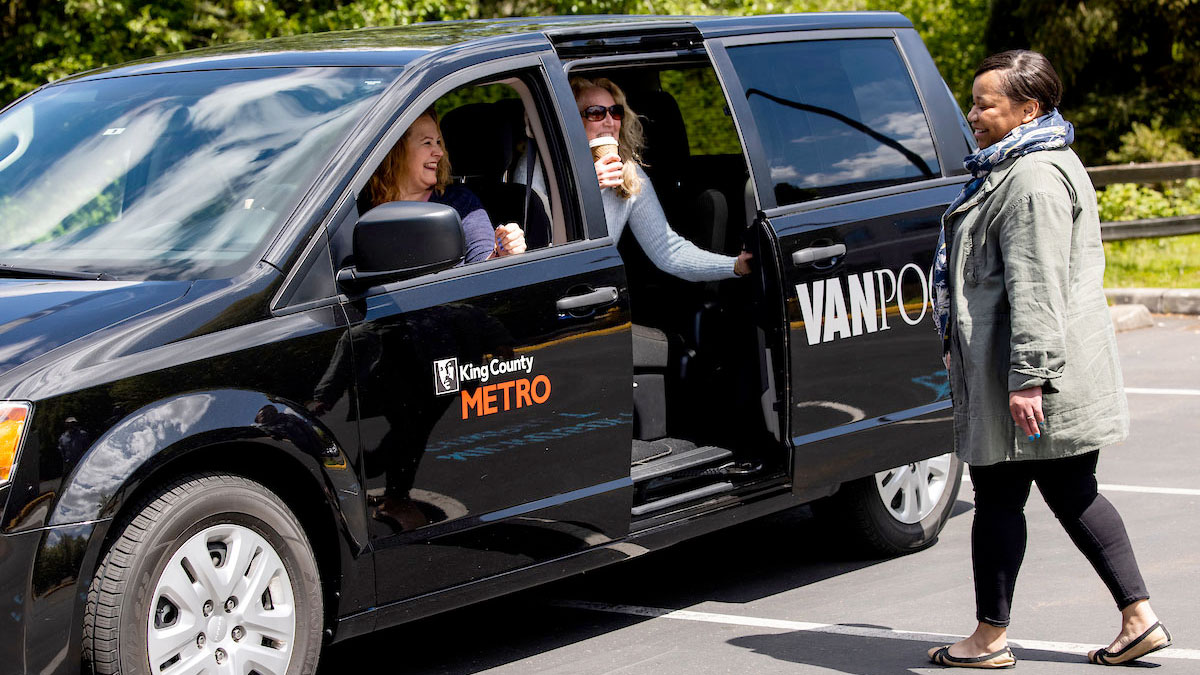
Curious about Vanpool? Take up to 3 free test ride and see how it fits your commute. Fill out the Test Ride form to find a Vanpool and get started.
Vanpool or Vanshare? Invite a friend or coworker to join. When they start riding you'll earn a $50 reward card.
Choose from 2
Just 5 or more commuters who share a similar route and schedule—including 2 volunteer drivers and 1 bookkeeper—are needed to form a Vanpool to and from work. Each group decides their own routes, schedules, and pickup/drop-off locations. Best for commutes where there may not be fixed route options.
Vanshare connects commuters who share a similar route and schedule between home, local transit hubs and work. With just 5 or more people, you can form a Vanshare and split the driving duties and costs. Vanshare is limited to a maximum of 20 round trip miles and to groups connecting to another mode of public transportation.
| Feature | Vanpool | Vanshare |
|---|---|---|
| Number of riders required | 5+ riders | 5+ riders |
| Commuter needs | Riders who want a direct route with final destination to work, school, or home. | Riders who use transit—such as the train, ferry, or bus—but need a final connection to work, school, or home. |
| Benefits | Covers the van, insurance, maintenance, tolls, fuel, an emergency ride home program, and roadside assistance. | Covers the van, insurance, maintenance, tolls, fuel, an emergency ride home program, and roadside assistance. |
| Commute type | Anywhere in King County—all participants must live or work within the county. | Shorter distances of 20 miles or less in King County to connect to transit. |
| Fare | Depends on number of commuting days, trip mileage, vehicle size, and the number of people in your Vanpool. | $200 per month, split among 5 or more participants. |
Quick search for a group along your route with the Seatfinder tool by entering complete home and work address for the most accurate list results.
Or visit RideshareOnline.com to create and view custom trip lists, with additional search filters, personal trip calendars and available rewards.
Once you've found a matching group, confirm the seat availability, route details and any group operating guidelines. Take up to 3 free test rides to make sure it's a good fit.
Submit an application to begin riding.
Recruit at least 4 other people to help fill your commuter van's roles. Your group will need at least 2 volunteer drivers and 1 bookkeeper.
Tips for recruiting riders Printable sign for recruiting riders
Each member of your group will need to submit an individual application. Collectively, you’ll also need to fill out a group application.
What is an emergency ride home? As a Metro Vanpool or Vanshare participant, you may be reimbursed for emergency situations when you are unable to ride home with your van. Take a cab or Uber or Lyft home, submit the completed form and your receipt and Metro will reimburse you for the ride.
Download Emergency Ride Home form
Please note, this service is meant to cover commuter van members after any other employer emergency transportation benefits have been used. For example, if your company provides you with benefits under Metro’s ORCA Business Programs, you may qualify for the Home Free Guarantee service. Check with your work administrator for more details.
Vanpool is perfect for a hybrid schedule for those who only commute occasionally. Part-time commuters pay our lowest, 3-day fare rate and combine their part-time use with other full and part-time commuters to fill the van and keep it operating throughout the week.
Volunteer drivers are the foundation of our program and each Vanpool group needs at least two. More drivers are welcome to volunteer to help share the driving responsibility. To be approved as a volunteer driver, you must comply with the following requirements:
If drivers meet the above requirements, they will be invited to complete a short online orientation.
Each Vanpool group needs a volunteer to track mileage, collect and pay fares, and fill out a simple monthly report. This is the role of the bookkeeper.
To qualify, bookkeepers must be at least 21 years old and have been employed by their current employer for at least two years (or provide other proof of stable employment).
To be approved, the bookkeeper must fill out the bookkeeper portion of the Vanpool application and take a short online orientation.
Paying your Vanpool fares is easy at myORCA.com – log in or follow the instructions to create a free account.
Click the “Pay for Vanpool” option in the lefthand menu, enter your fare amount, your transit agency (King County Metro), your Vanpool group ID, and your name (or rider’s name, if you are paying for others). Next, add any additional payment details and follow the prompts to pay via a credit or bank card.
Remember to print your receipt and share it with your bookkeeper. Your bookkeeper may also choose to pay your fare online using this same method and will update the monthly report to reflect your online payment.
Each Vanpool group receives a Voyager Fleet credit card that may be used to fuel the vehicle and wash the van twice a month. Your Voyager Fleet card is assigned to your specific van and should be used for that van only.
If your van needs fluids topped off or new windshield wipers, please have your bookkeeper reach out to your Metro Accounting Representative for reimbursement details.
Ask your bookkeeper to reach out to your Metro Accounting Representative with any questions. Your bookkeeper may call 206-625-4500 to reach your Accounting Representative.